Miro Mind Map, A Simple Review
So, you are considering Miro Mind Map.
You’ll be wondering if it’s a good choice for you, whether its feature set compares well to other mind mapping and collaboration tools, and if it is priced affordably enough for what you get.
This article will break all that down for you and more.
Plus, at the end of the article you’ll find links to alternatives to Miro as well as our top picks for the options in this category.
Or, just go straight to Our top picks for the Best Mind Mapping Software.
Without further ado, let’s get started.
Miro Mind Map Features
With Miro Mind Map, you can brainstorm ideas, structure thoughts, and collaborate visually with your team in real time. It provides an infinite canvas where you can map out concepts clearly and creatively. Additionally, Miro is a highly flexible platform that adapts to both individual and team workflows.
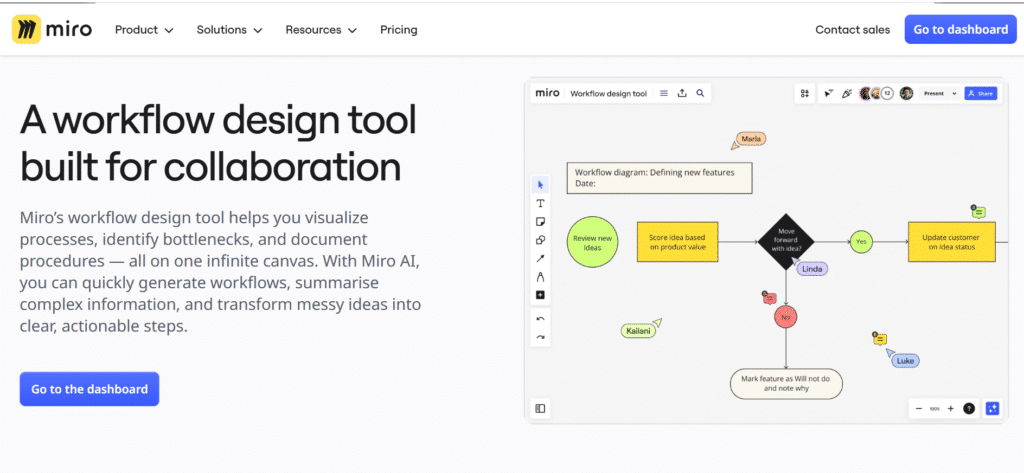
Get Started with Miro Mind Map🔥
Here are some exclusive features of Miro Mind Map:
Visual Mind Mapping
Miro allows you to create structured mind maps quickly using intuitive drag-and-drop functionality. You can organize ideas into branches and sub-branches, making it easy to visualize complex concepts. Additionally, you can switch between structured and freeform layouts depending on your needs.
Real-Time Collaboration
Miro enables teams to collaborate simultaneously on the same board. Team members can add ideas, comments, and feedback in real time, making brainstorming sessions more interactive and productive. This is especially useful for remote teams and virtual workshops.
Infinite Canvas
Miro offers an unlimited workspace where you can expand your ideas without constraints. Whether you're mapping a simple concept or a full project plan, the canvas adapts to your workflow and scale.
Templates Library
Miro provides pre-built templates for mind mapping, brainstorming, project planning, and more. These templates help you get started quickly and maintain structure in your work.
Integration Capabilities
Miro integrates with popular tools such as Slack, Microsoft Teams, Google Drive, Jira, and more. This allows you to centralize your workflow and connect your mind maps with other tools you use daily.
Presentation Mode
With Miro, you can turn your mind map into a presentation directly on the platform. This allows you to present ideas clearly without needing external software like PowerPoint.
Miro Pricing
Miro offers multiple pricing plans designed to suit individuals, teams, and enterprises.
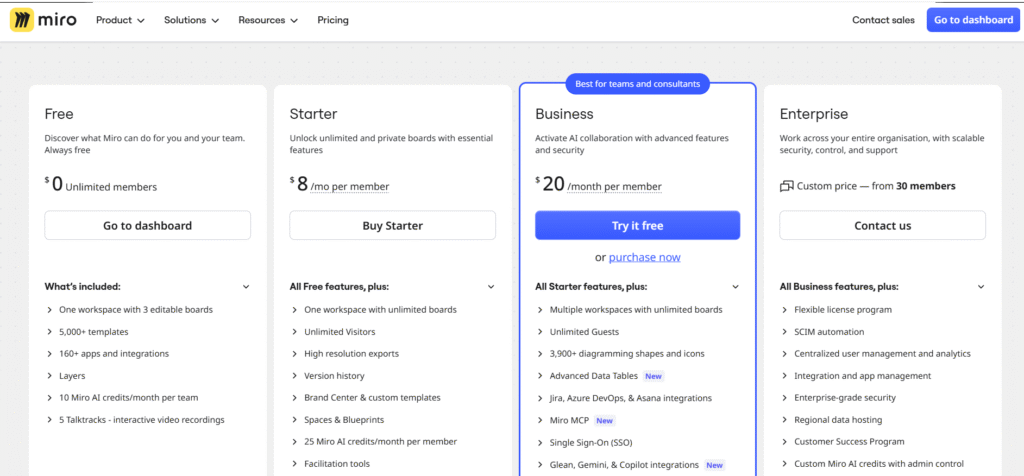
- Free Plan – $0
Offers limited boards with basic features. Ideal for individuals or small-scale use. - Starter Plan – Starts around $8/month per user (billed annually)
Includes unlimited boards, collaboration features, and basic integrations. - Business Plan – Starts around $20/month per user (billed annually)
Offers advanced collaboration tools, private boards, and more integrations. - Enterprise Plan – Custom pricing from 30 members.
Includes advanced security, SSO (Single Sign-On), and dedicated support.
Miro Discounts and Coupons
Miro does not usually offer standard coupons. However:
- Discounts are available for annual billing
- Special offers exist for students, educators, and non-profits
Miro Free Trial
Miro offers a free plan with no time limit, allowing users to explore its features before upgrading.
Additionally, paid plans often come with a free trial period, depending on promotions.
Miro Mind Map, A short how-to guide
Once you log in to your Miro account, you’ll be directed to your dashboard where you can create or access boards.
- Click on “Create new board” to start a new project
- Select the Mind Map tool from the toolbar
- Add a central idea and expand branches by clicking “Tab” or using the interface
On the left panel, you’ll find tools for:
- Adding shapes and text
- Inserting images or files
- Collaborating with team members
Use templates to quickly start structured mind maps.
You can invite collaborators by clicking the “Share” button and sending them a link.
Switch to presentation mode to showcase your ideas professionally.